Intuitive UI to Ease Your Research
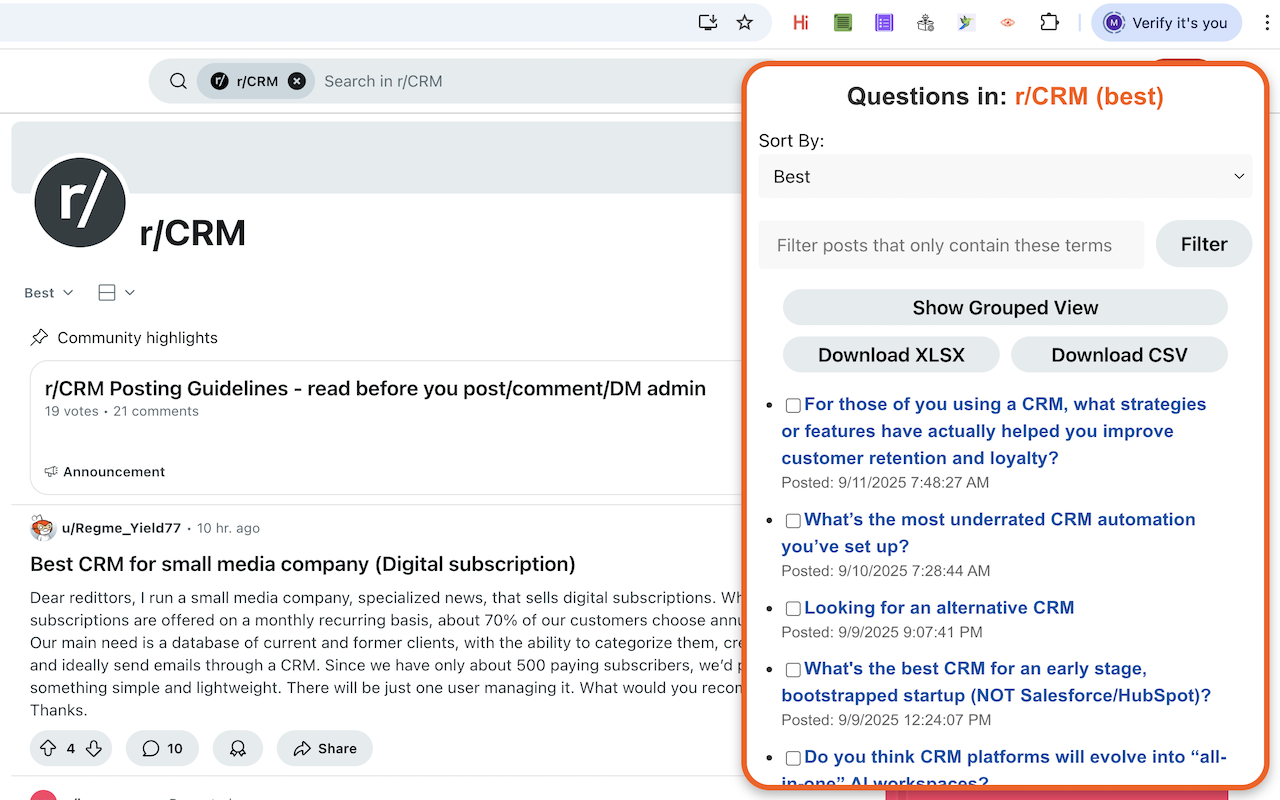
Discover questions your niche is asking.
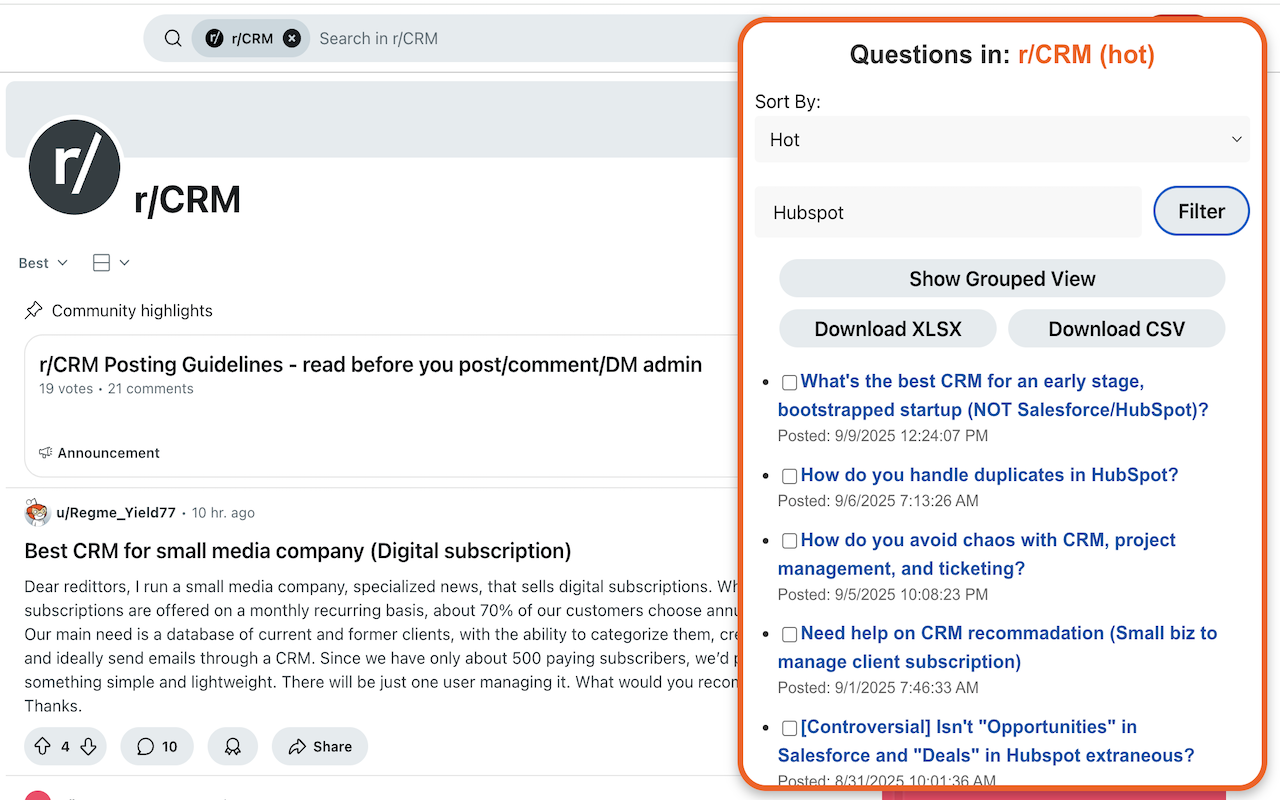
Filter on posts that contain your keywords of interest.
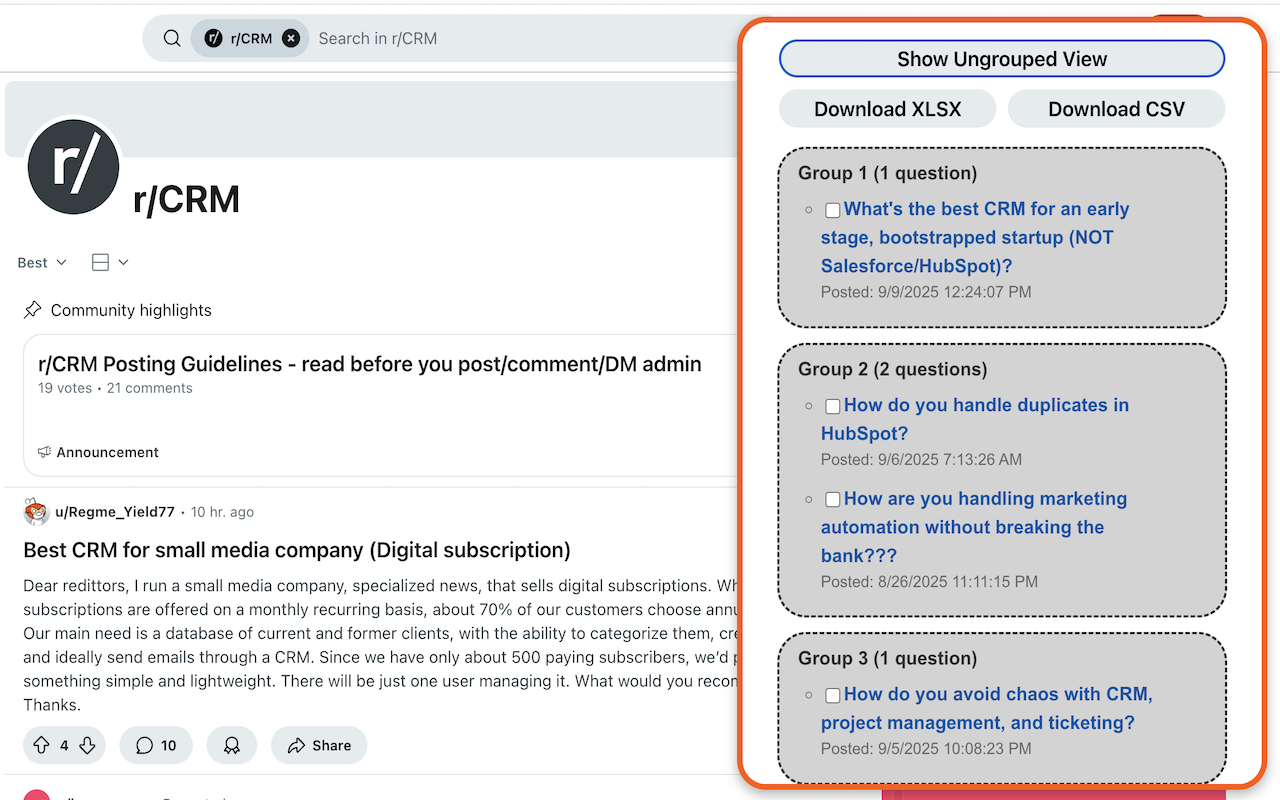
Match posts together based on similarity, to find common trends in your niche.
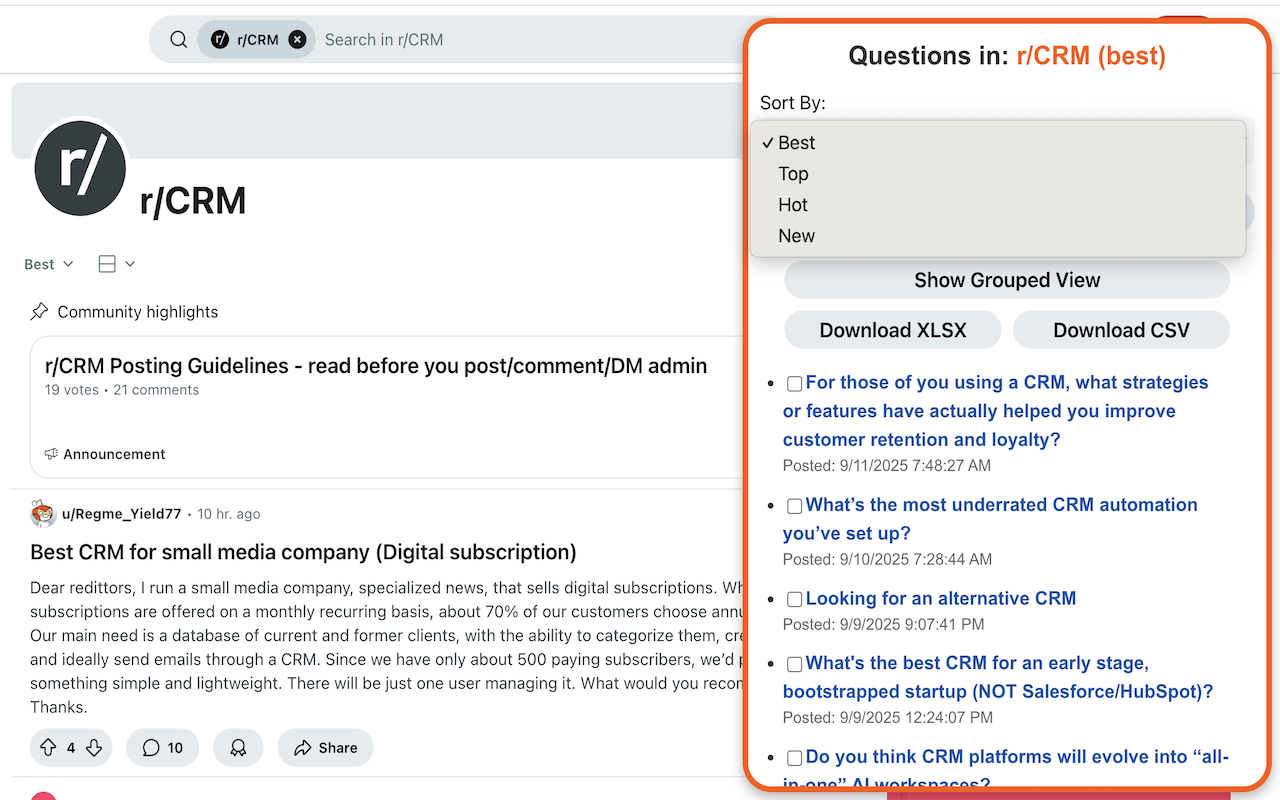
Retrieve posts sorted according to Reddits best, hot, new, top, or rising categories.
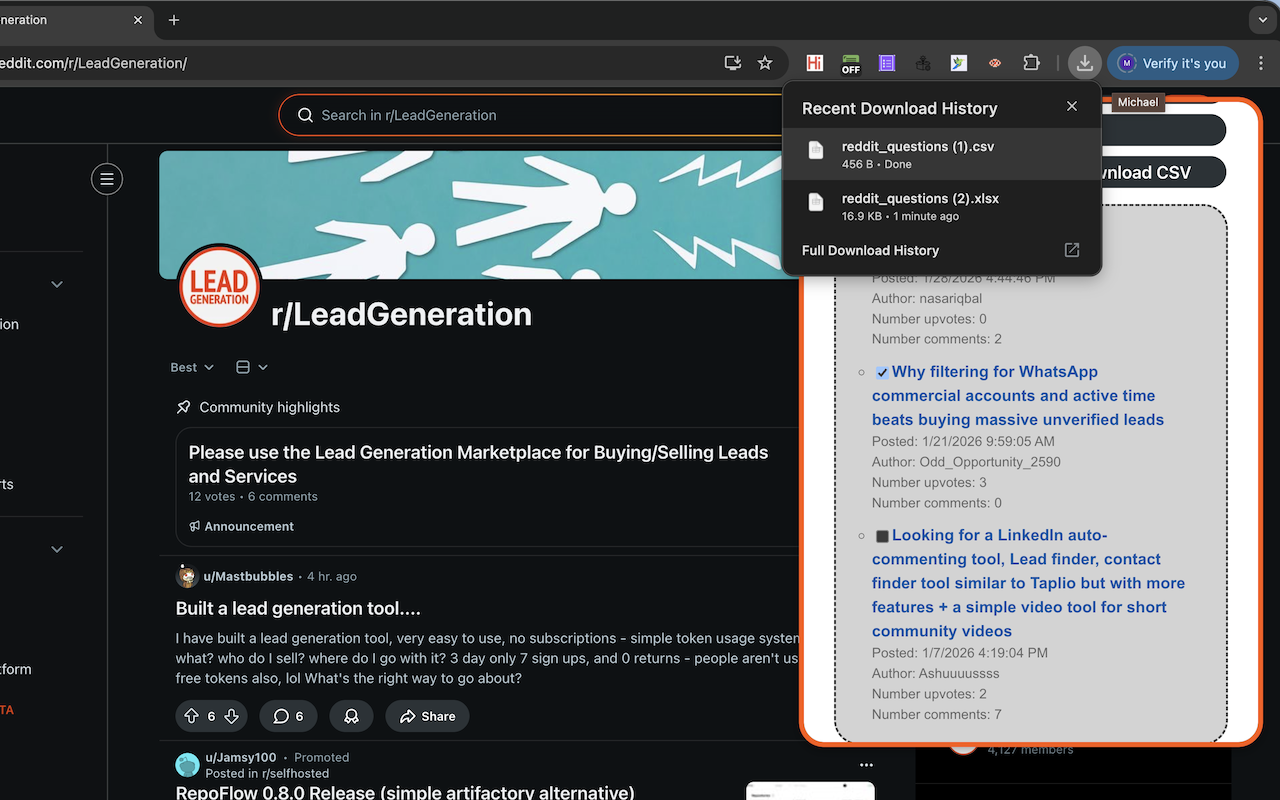
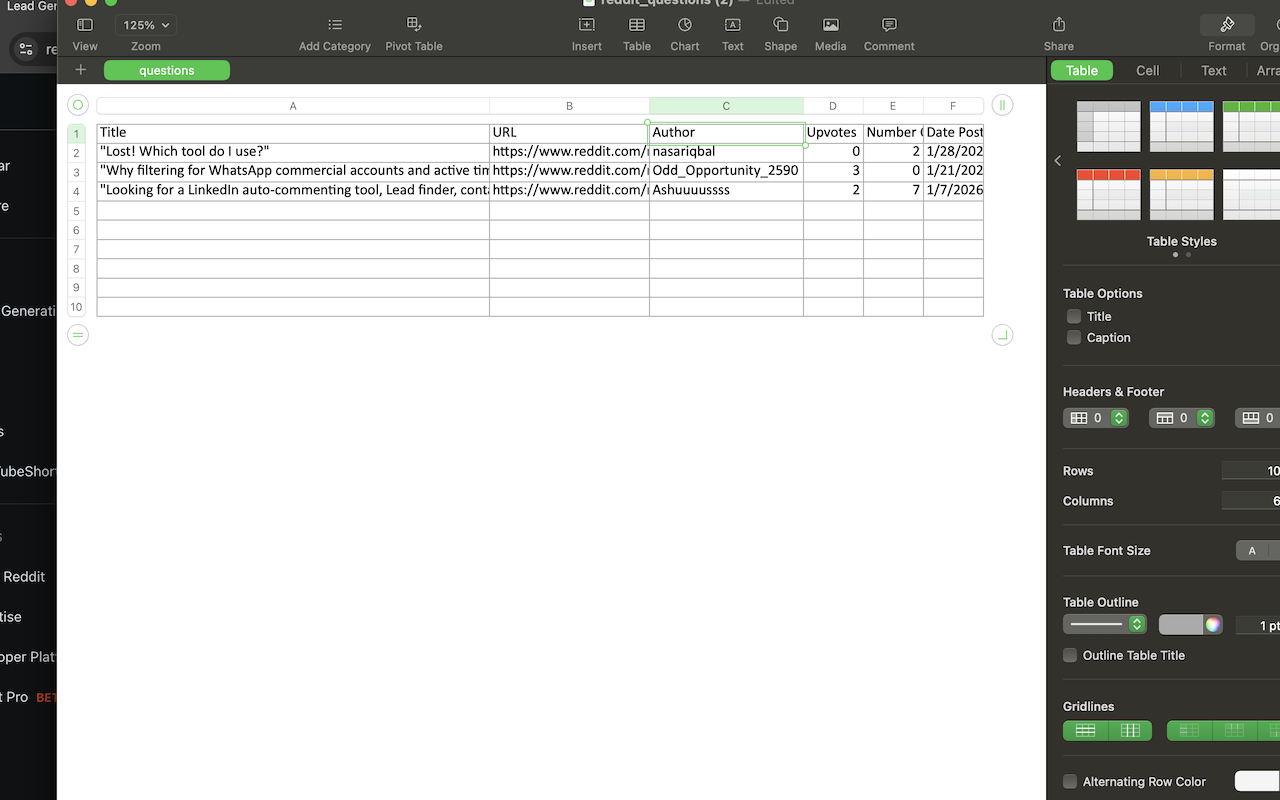
Download your search results in .xlsx or .csv formats.
👉 In the browser, navigate to a subreddit page.
👉 Click on the extension icon, and the extension window will appear. Listed in the window will be up to 50 post titles.
👉 By default, the results list is sorted by best. You can use the Sort by dropdown box to change this to top, hot, new, or rising.
👉 Each listed post title is a hyperlink to the original reddit post; click on the title to be navigated to the post on Reddit.
👉 You can enter keywords in the text field to filter out only those posts that contain at least 1 of these words. To do so, type the keywords, separated by a space, into the text field, then click on the Filter button. Post titles and bodies are searched to check if they contain these keywords.
👉 To remove keyword filtering (see point above), simply clear the text field, then click the Filter button.
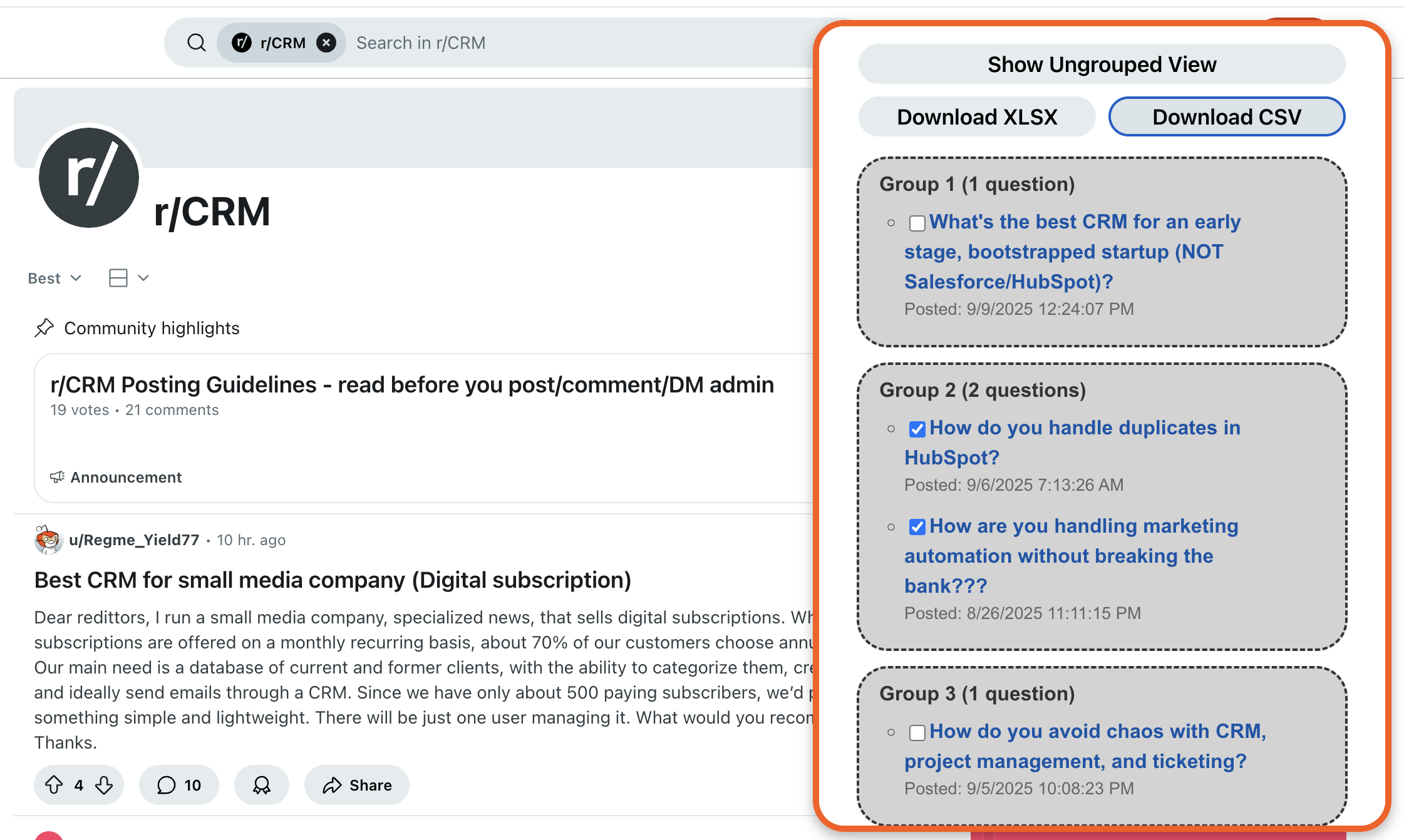
👉 You can group similar post titles together, to get a sense for common themes or topics. Click on Show Grouped View and the display will update. Click the same button again to revert back to the ungrouped view.
👉 To discover common questions or pain points in your niche, you can filter posts based on whether they are a question. To do so, click on Get Only Question Posts and only posts with titles in the form of a questions will be displayed. Click on the same button again to revert back to showing all posts.
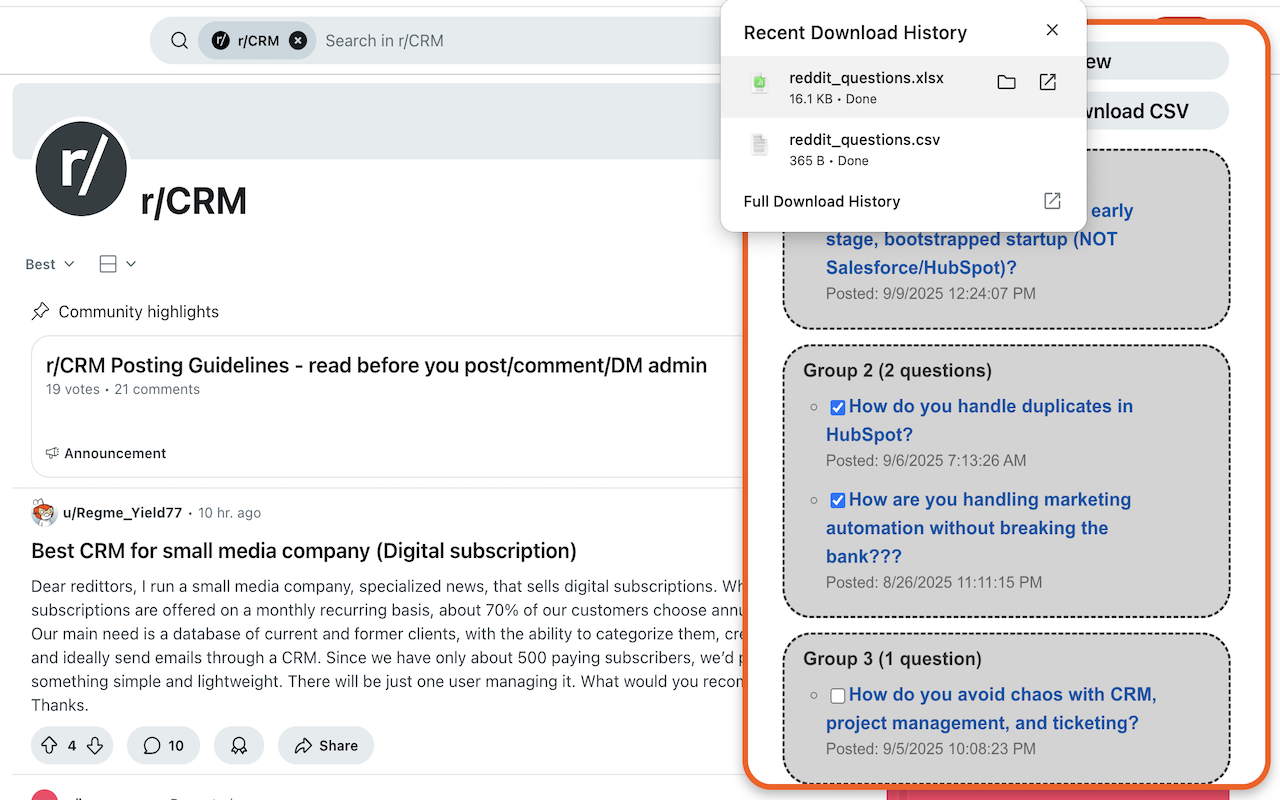
👉 To print the results out to a XLSX or CSV file, click on the Download XLSX or Download CSV buttons, respectively. By default, this will print out all the records to file. To print out only a subset of posts, click on the checkboxes next to the posts you are interested in, then press the appropriate download button.
Make sure you are on a subreddit page; the url should be of the form: https://www.reddit.com/r/*.
Check the sort type you have, in particular Reddit can return fewer results for the Top sort type. Also check if keywords are present in the filter text field, if so either change these or remove them altogether. Finally, it can be that the subreddit you are currently on just doesn't contain many question posts!
Reddit Market Research Tool fetches post information from the Reddit API, and filters out only those posts where the title is in the form of a question. It does this by checking the structure of the title, to see if its form is consistent with how a question is typically posed in English. Punctuation, i.e. ? at the end of the title, is also checked.
Reddit Market Research Tool groups questions based on how similar their texts are to each other. To be technical, Fuzzy Matching is used to accomplish this.
At the moment, Reddit Market Research Tool only supports English.
Please send your question or comment via the Support Page.